11 · Independent project, co-designed with Jessica Cox
ToeTapText
An assistive-tech project co-designed with pilot, speaker, and advocate Jessica Cox: nine weeks of research, competitive analysis, and physical prototyping to make foot-typing more ergonomic.
- Sector
- Assistive Technology / Accessible Design
- Role
- Co-Designer
- Type
- Assistive Technology · Physical Prototyping · Accessibility Research
- Year
- 2023
- Tools
- Cardboard & laser-cut prototyping · Ergonomic testing · Keyboard-input simulator (code)
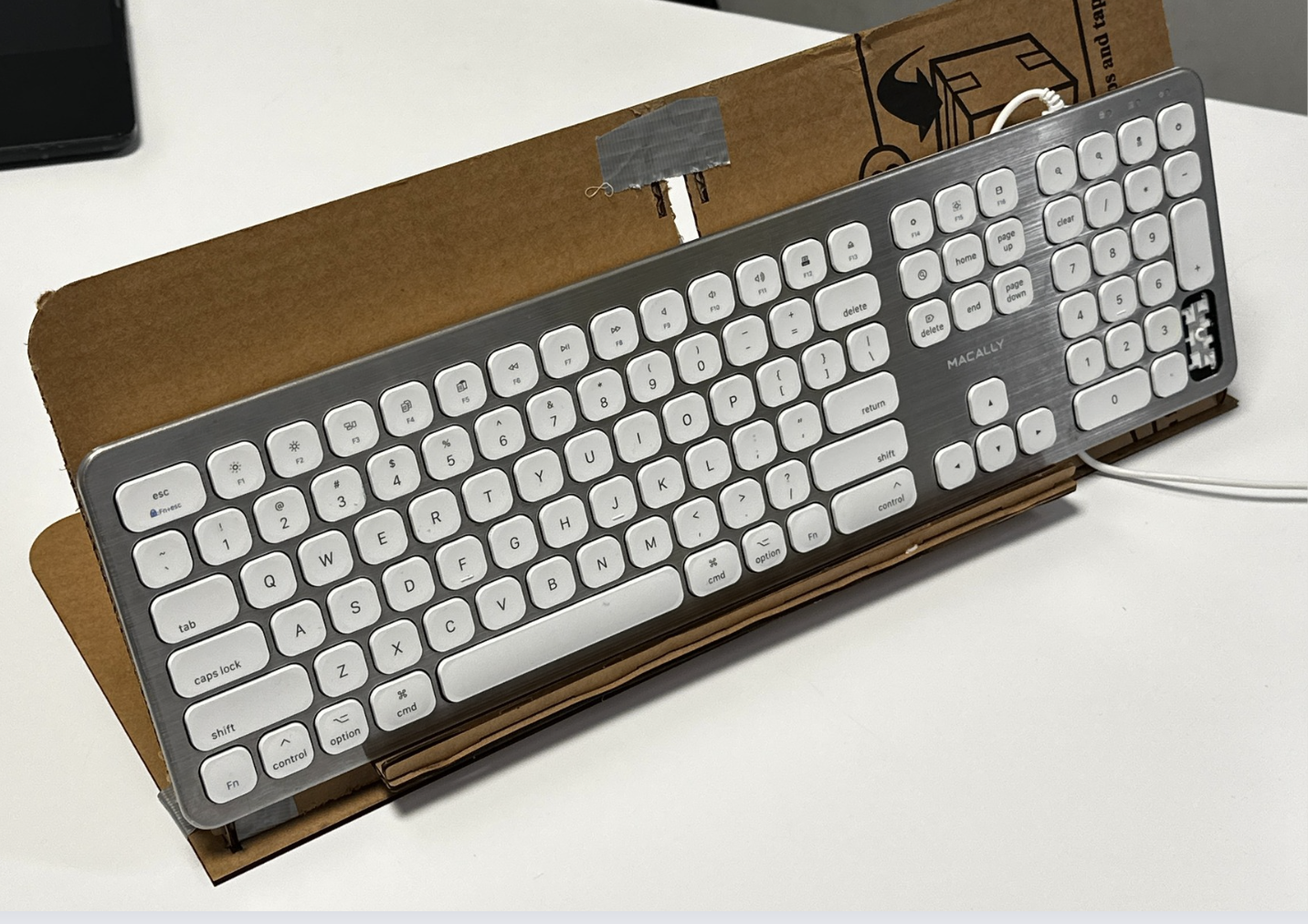 Fig. 11 · Assistive Technology / Accessible Design
Overview
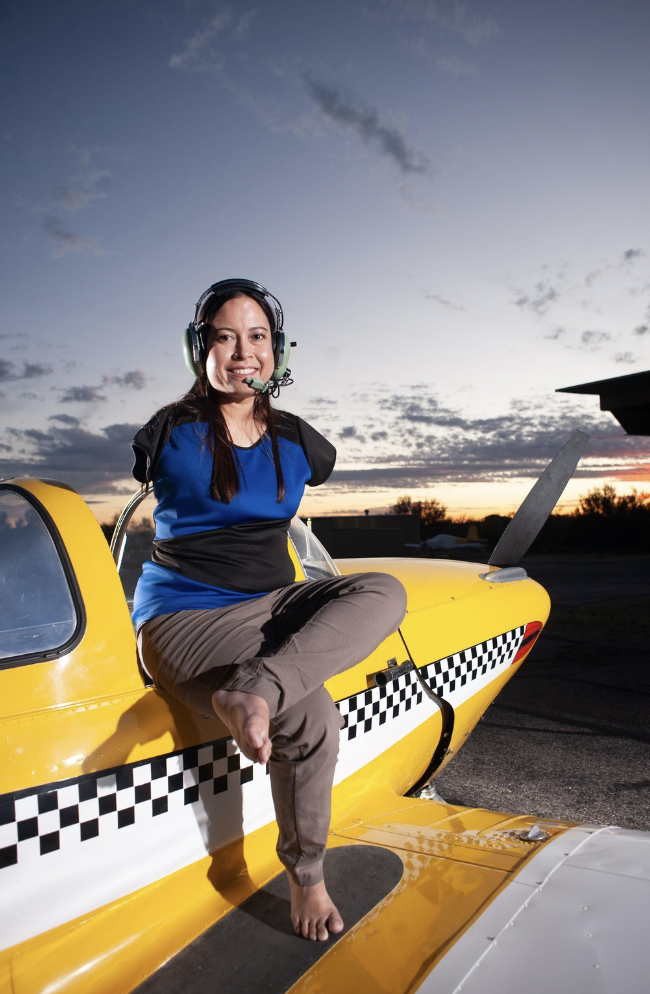
ToeTapText started with a question most keyboard design never asks: how do you type ergonomically when you use your feet instead of your hands? I co-designed the project with Jessica Cox, a pilot, motivational speaker, and advocate born without arms, who has typed with her toes at roughly 25 words per minute since learning in 7th grade. Over nine weeks of research, competitive analysis, and hands-on prototyping with Jessica, we worked toward a setup that solved for posture strain and reach limits that no off-the-shelf keyboard accounts for.
Jump to outcome ↓The Problem
Jessica types by resting her toes on the home row while the rest of her foot glides over the keys, a technique that works but takes a physical toll: typing flat on the floor forces constant neck and back strain from looking down, and her thighs, calves, and ankles absorb all of the muscular load a hand-typist's forearms would normally carry. Existing assistive keyboards are built around hand use or a single fixed posture, so none of them solve for the angle, elevation, or heel support that foot-typing specifically needs.
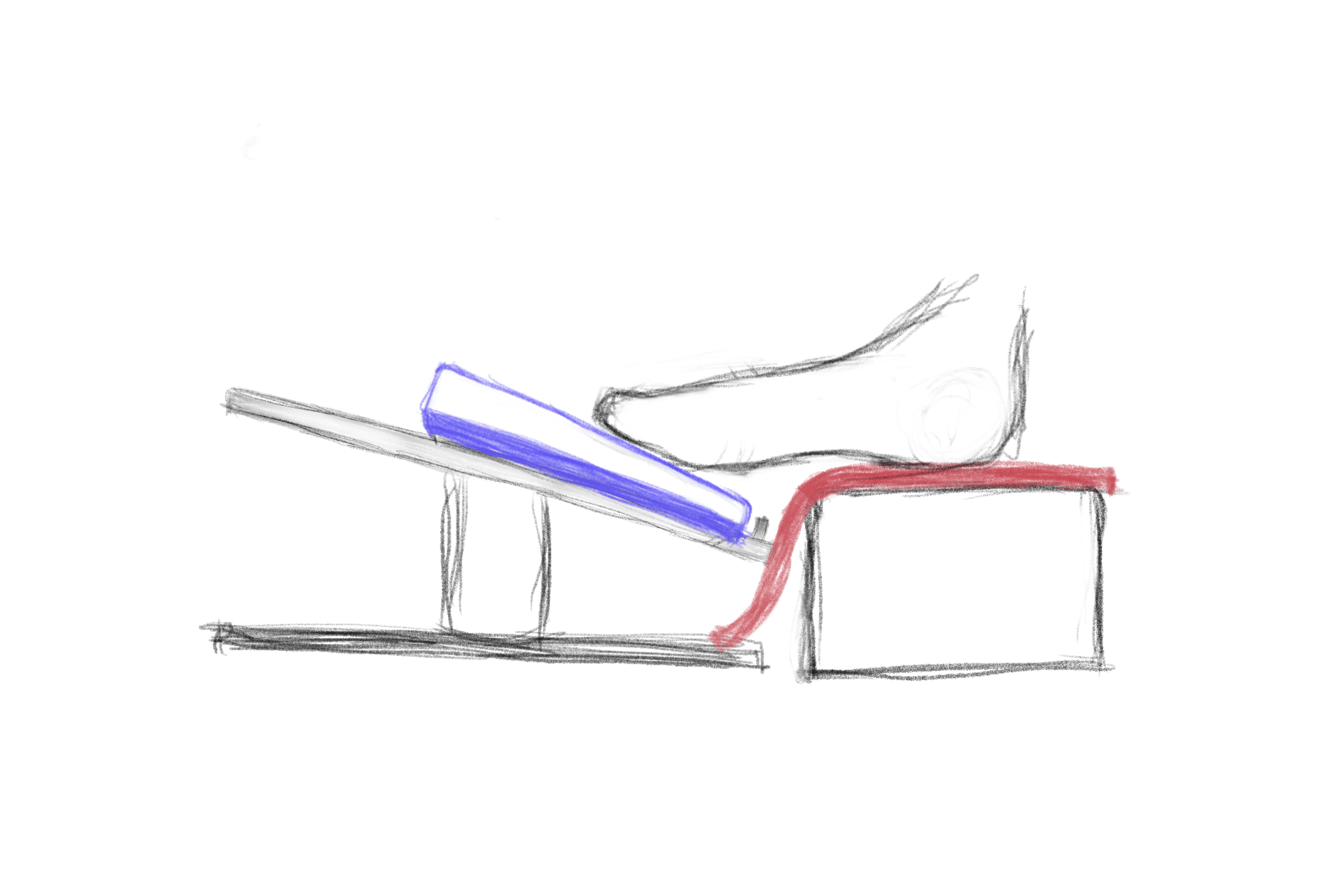
Adding heel support and elevating the keyboard on an inclined stand improved Jessica's posture significantly.
Approach
- 1
Map the existing landscape before designing anything: competitive-analyze foot mice, trackpads, and academic research on foot-gesture and shoe-integrated input, alongside sitting with how Jessica already types.
- 2
Go wide before narrowing: sketch keystroke mirrors, touchscreen keyboards with haptic feedback, iPad stands, key guards, even voice and gesture control, before committing to a direction.
- 3
Prototype the physical setup cheap and fast, cardboard, a laptop stand, a literal box for heel support, iterated directly against Jessica's posture and feedback in weekly sessions.
- 4
Track it over nine weekly check-ins, refining stand angle, heel support, and key access with each round.
Starting with how she already types
Before sketching anything, we mapped the existing landscape: Apple's Magic Trackpad (flat, so nothing to catch a toe), foot mice and foot-operated keyboards, and academic research on foot-gesture recognition and shoe-integrated motion sensing. None of it was designed around Jessica's actual technique, resting her toes on the home row since 7th grade, typing on a mechanical keyboard at about 25 words per minute, with the rest of her foot gliding over the keys to reach adjacent letters.
Every option on the table
Early on, we went wide rather than narrow, floating ideas that ranged from low-tech to speculative before testing pulled us toward what actually helped.
Cardboard first
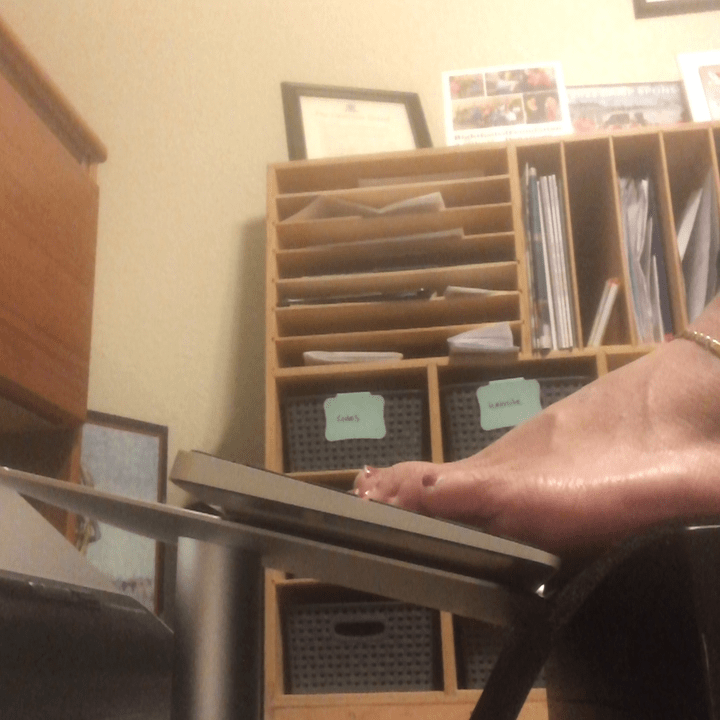
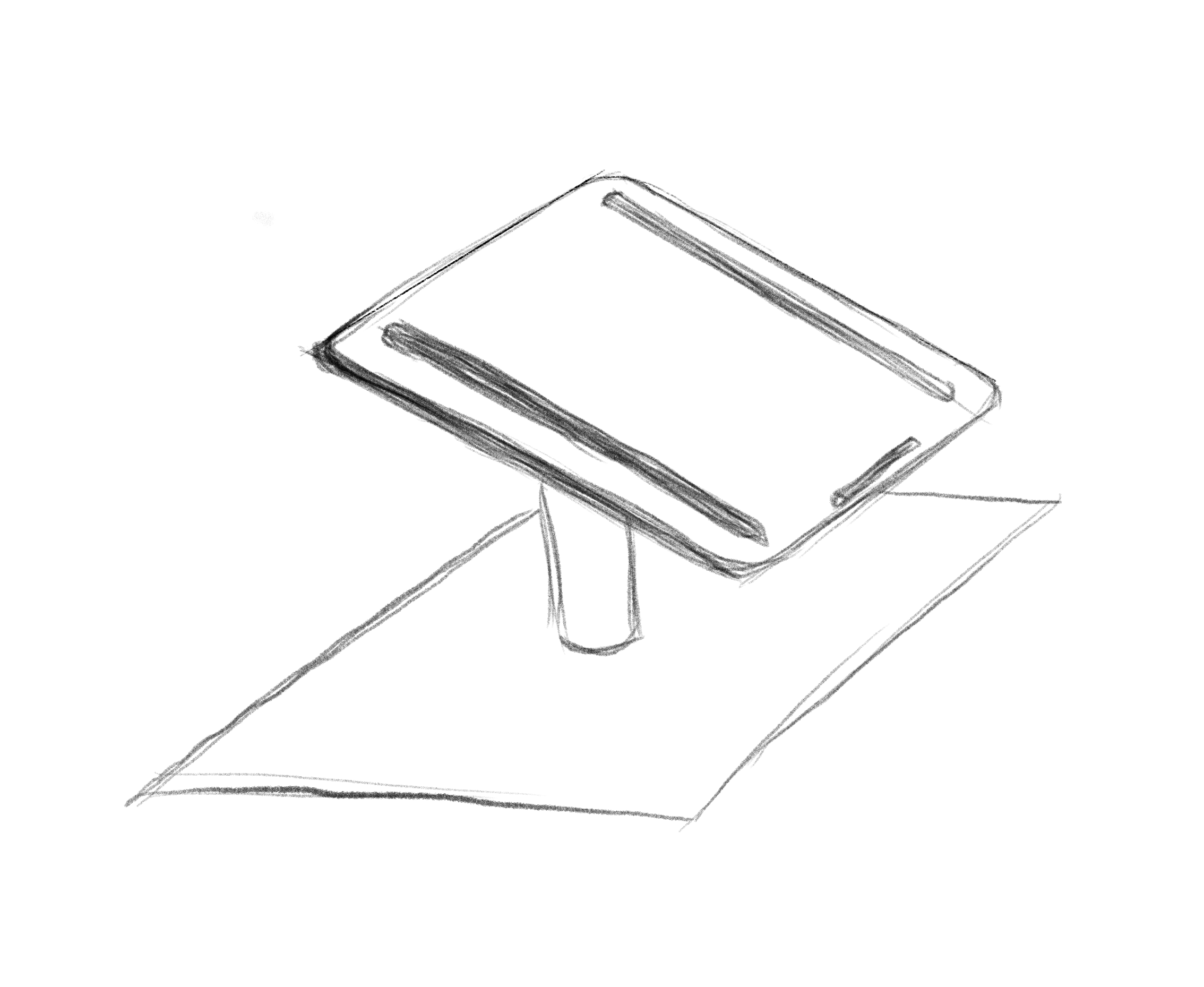
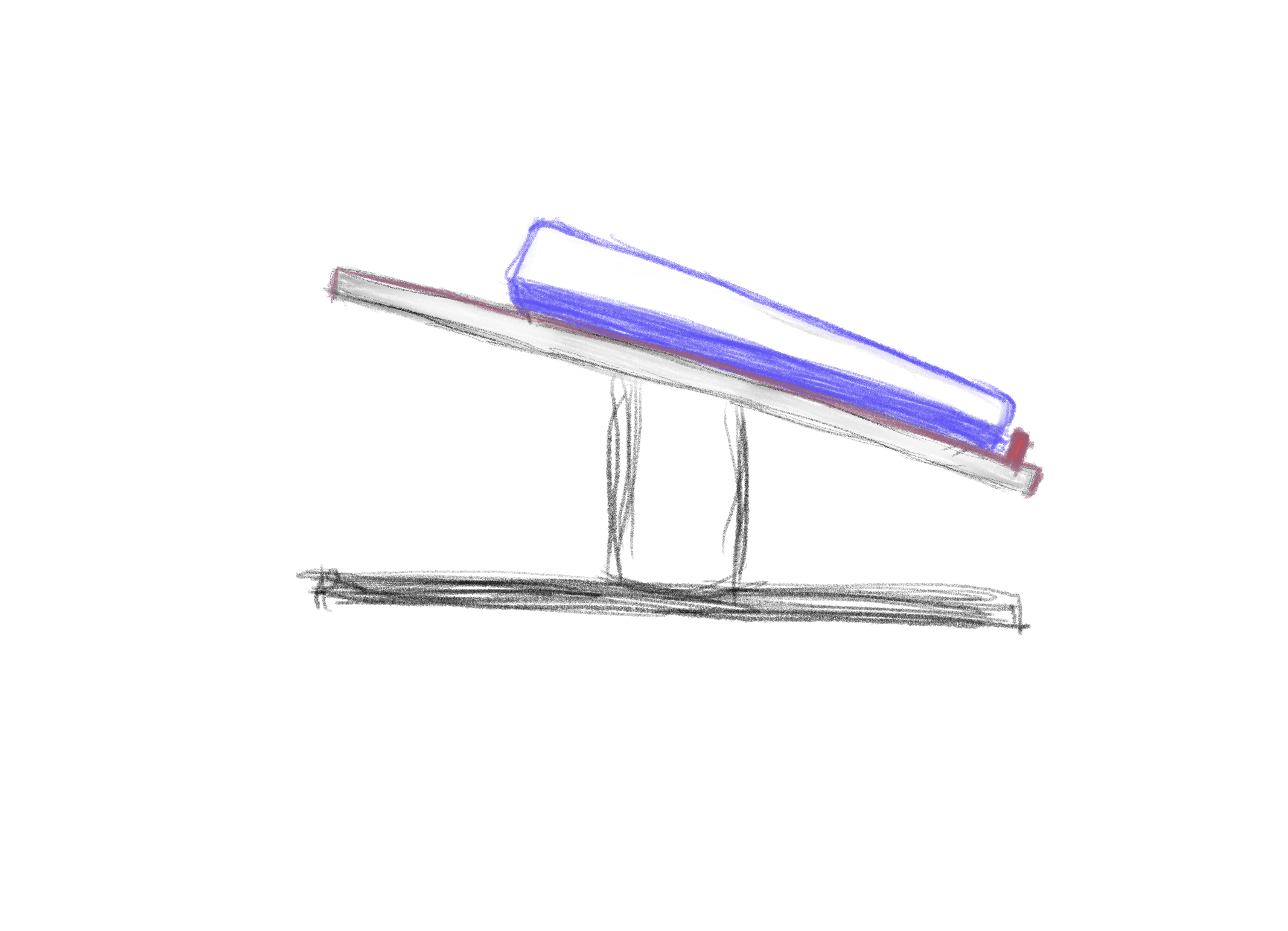
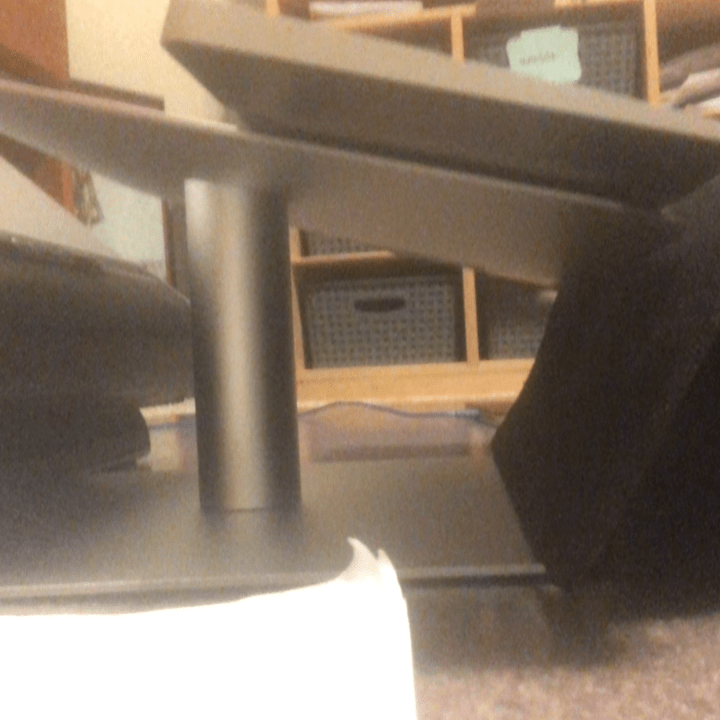
The core problem was angle and elevation, not electronics, so the fastest way to test it was cardboard and a spare laptop stand. Jessica's own setup, a circular-base stand tilted to roughly a third of full incline, with friction pads and a raised edge lip, was already close, and she told us the keyboard's angle itself didn't need to change. What needed work was everything around it.
Heel support
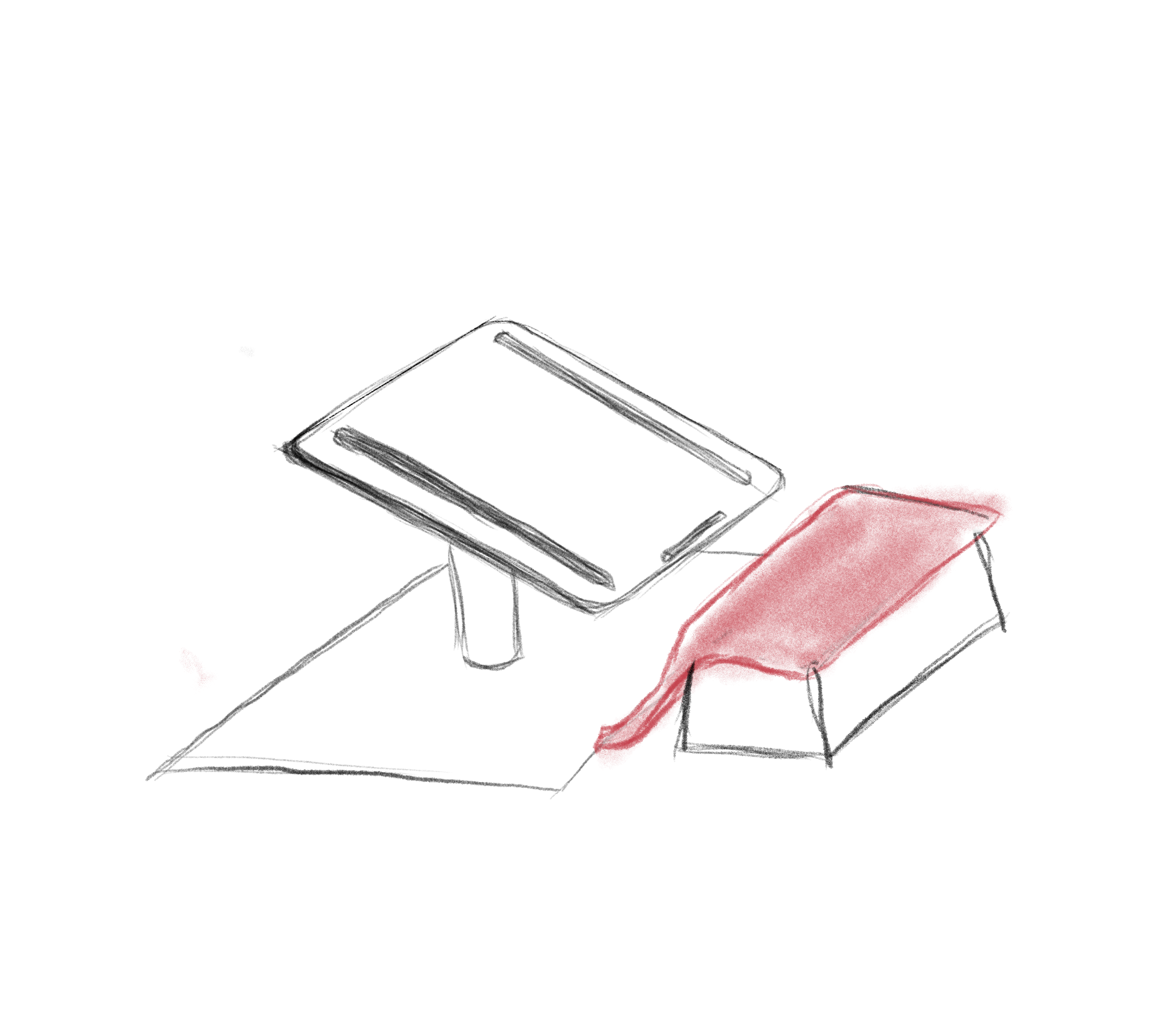
a mouse pad set on a box under her heel visibly improved posture over typing flat on the floor.
Edge lip
the stand's raised lip restricted her reach to the space bar and command key.
Stand width
built for laptop width, the base couldn't hold a full keyboard steady, and uneven pressure made it flip.
Next iteration
a dedicated cylindrical heel-support piece, sized for a wider range of motion and arch support than a mouse pad on a box.
Heel support, tested for real
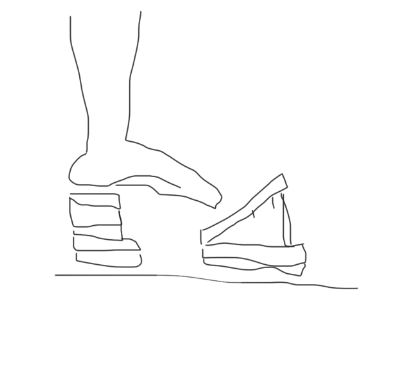
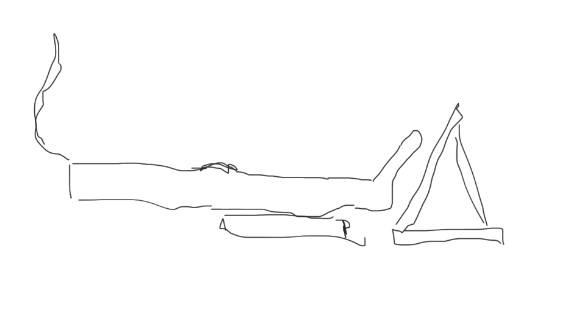
The fix for posture turned out to be simple: a mouse pad set on a box under her heel. It's a low-tech move, but paired with the inclined stand it visibly changed how upright she could sit while typing.
A modular tablet stand
In parallel, teammate Anita explored a second direction: a modular iPad stand built from adjustable slats, so both height and angle could change with how Jessica was sitting, upright or leaning back, plus a removable tactile overlay on the home keys for on-screen typing.
Beyond the stand
Alongside the physical setup, we built a coded keyboard-input simulator that displays keystrokes in real time as a reference and testing tool, and opened a conversation with Apple's accessibility team about where the project could go next, including gesture control and camera-based motion tracking as lower-friction alternatives to physical keys.
Designing with, not for
Jessica Cox is a pilot, motivational speaker, and disability advocate who has flown a plane, earned a black belt, and typed her entire career with her feet. She sat with each prototype in weekly sessions over nine weeks, and that direct, recurring feedback, not a one-off lab test, is what moved the design from a single tilted board toward a fuller picture of what her setup actually needed.
Outcome
Elevating the keyboard on an incline and adding dedicated heel support measurably improved Jessica's posture over typing flat on the floor, and nine weeks of iteration turned a general accessibility brief into a specific, testable diagnosis: which parts of her existing setup already worked, and exactly which ones (edge lip clearance, stand width, heel shape) didn't. The project stayed deliberately low-tech and scalable throughout, pointing toward next steps (a purpose-built heel-support piece, gesture and camera-based input, and an open line to Apple's accessibility team) that could extend past one user to others who type with their feet.
25 WPM
Baseline typing speed
9
Weekly check-ins
More Work
01
MMBL Dost App Redesign
02
HealthOps Reporting Dashboard
03
Flyve: Running for Everyone
04
Max: Gaming Community Platform
05
Maternal Health Supplement Research
06
National Family Health Brand Testing
07
Climate Finance Accelerator Launch
08
Impetus Advisory Group Website
09
What She Carried
10
Biofutures: Design Thinking for the Planet and Beyond